webmin
StressFree Webmin theme version 2.05 released
This update is minor but addresses a few issues:
- Adds a Javascript patch submitted by Rob Shinn that adds sidebar support for multiple servers.
- Fixes the missing footer link back to the module index bug.
- Also included is compressed Javascript and CSS files which should slightly reduce load times.
The updated theme can be downloaded from here.
StressFree Webmin theme version 2.04 released
In what is hopefully the last update in a while the StressFree Webmin theme version 2.04 is available. This release applies some spit and polish to the previous release by fixing a few browser bugs, internationalising strings and adding some missing images/styles.
One more thing, if you do not like the new "Installed Modules" menu system you can change back to the old system by editing the theme-stressfree/config file and setting the old_menu parameter to 1.
The updated theme can be downloaded from here.
StressFree Webmin theme version 2.03 released
Version 2.03 of the StressFree Webmin theme is a significant overhaul of the underlying HTML, Perl and CSS code. Here is a rundown of the new/changed features:
- By default menus are organised by installed services with a menu for 'Unused Modules'.
- The Javascript-based curved borders code has been replaced with pure CSS/images.
- The theme should work correctly in Internet Explorer 6, 7 and 8.
- Various graphical refinements including better looking tabs.
- A "View Logs" link like that found in the default Webmin theme.
- A large number of new icons for various modules.
The revised theme can be downloaded from here.
NOTE: This is a significant upgrade so please make sure that after installing you clear your browser cache, proxy cache (if used) and Google Gears (if used).
To refresh the Google Gears cache you must open the Google Gears settings panel and remove the Webmin server from the list of allowed sites. This will delete all the cached files but it will mean you will need to re-enable Google Gears for the site.
StressFree Webmin theme version 2.01 released
Version 2.01 of the StressFree Webmin theme fixes a compatibility error with Webmin 1.480. All users of Webmin 1.480 or higher should upgrade to this version of the theme to avoid display errors. Along with this compatibility fix a few extra service icons have been added.
The revised theme can be downloaded from here.
StressFree Webmin theme version 2.0 released
Version 2.0 of the StressFree Webmin theme adds limited support for Google Gears. Whilst this addition does not provide true "offline" functionality it does help speed up the performance of the Webmin theme, especially over slow connections. In a nutshell Gears is used to cache a significant portion of Webmin's static content (images, javascript and CSS).
To enable Gears click the Gears link on the top right of the screen and follow the instructions. If your browser does not have Gears installed you will be provided a link to install the library. A demonstration of this functionality is given in the video below. There is not much to see, but the performance improvement is noticeable if you use Webmin a lot.
The concept and initial code for this functionality was kindly provided by Dwi Kristianto. I have integrated his proposal into the core StressFree theme and in the process tweaked it a fair bit to ensure it works in a variety of Webmin configurations.
This release also fixes a login screen rendering bug introduced since version 1.450 of Webmin. Unfortunately to resolve this bug backwards compatibility with Webmin versions > 1.450 is broken. If you are not using Webmin 1.450+ it is recommended that you do not install this theme, or better yet, upgrade Webmin prior to installing this theme.
The updated theme can be downloaded from here.
StressFree Webmin theme version 1.95 released
Version 1.95 adds the ability to define a custom logo on the login screen:

To define a custom logo for your Webmin/Usermin installation edit the theme-stressfree/config file and set the logo parameter to the valid URL of the logo you wish to use.
e.g. logo=http://www16.plala.or.jp/bend_tail/images/ubuntu-logo-transparent128.png
Note: No image rescaling will be applied to the logo image specified. For best results the logo should be approximately 300x125 pixels in size (or less). For graphical consistency it is recommended that transparent GIF or PNG logo images be used.
The revised theme can be downloaded from here.
StressFree Webmin theme version 1.94 released
Version 1.94 fixes UTF-8 support and removes an unwanted logout hyperlink introduced in Webmin 1.390. Apart from that there are no other changes so if you use an english character-set a version of Webmin < 1.390 there is no need to upgrade.
The revised theme can be downloaded from here.
StressFree Webmin theme version 1.93 released
Version 1.93 fixes a bug with the display of the virtual host and domain names in the Apache and Bind modules respectively. It also adds a few new icons for both of these modules.
A new configuration option added provides the ability to tailor the number of rows displayed in the scrolling drop-down menu. To set this value edit the config file in the theme-stressfree directory. By default the number of rows displayed is 12:
dropdown_rows=12
The revised theme can be downloaded from here.
StressFree Webmin theme version 1.92 released
Version 1.92 adds the option to disable the new sidebar if neccessary. To disable the sidebar install the theme as normal then edit the config file in the theme-stressfree directory. By default the sidebar is enabled and to disable it set the following line to read 0:
enable_sidebar=0
The revised theme can be downloaded from here.
StressFree Webmin theme version 1.91 released
Version 1.91 of the theme addresses a few issues raised by users and can be downloaded from here.
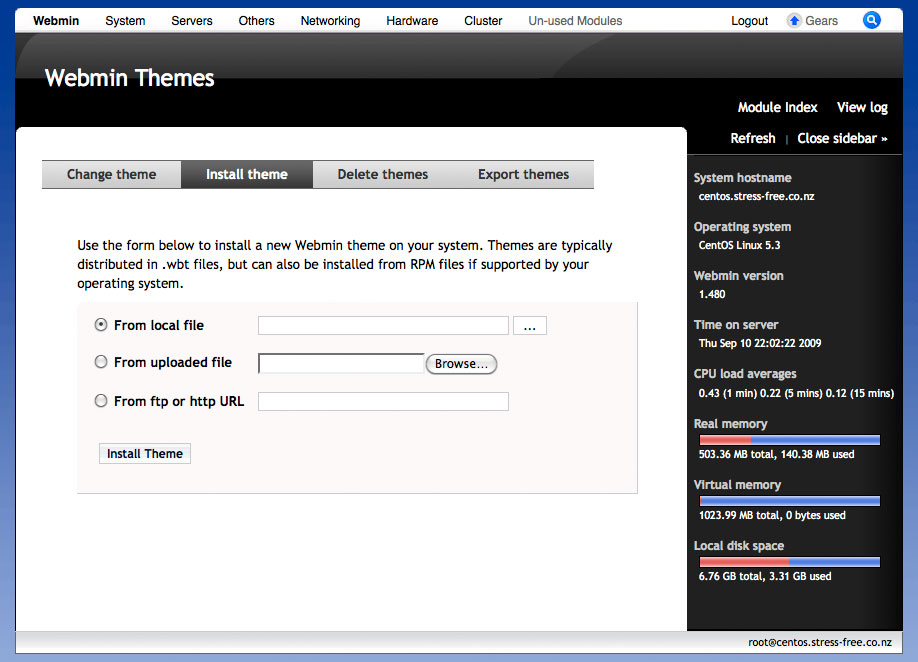
The most notable addition to the theme is a system statistics sidebar. The code for the system statistics is based on that within the Blue Frame theme (now the default Webmin theme).

