Webmin 'Tiger' theme
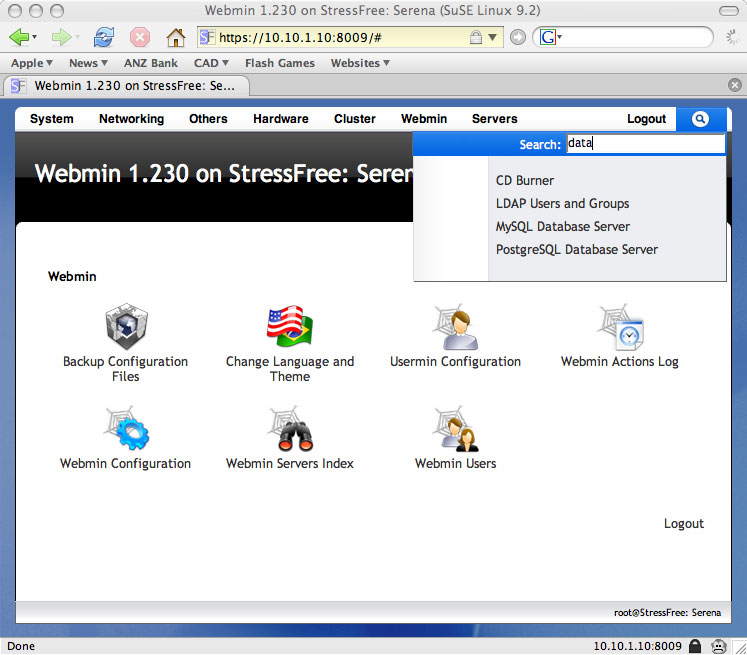
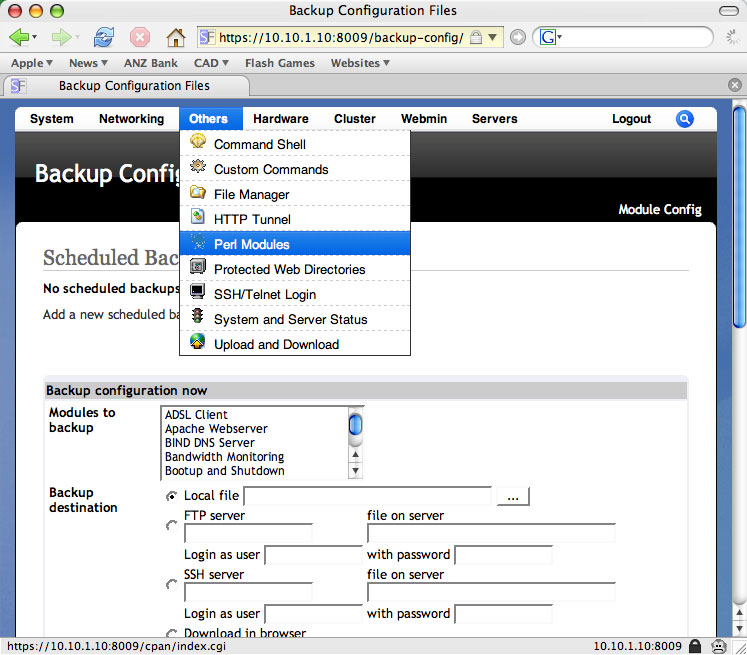
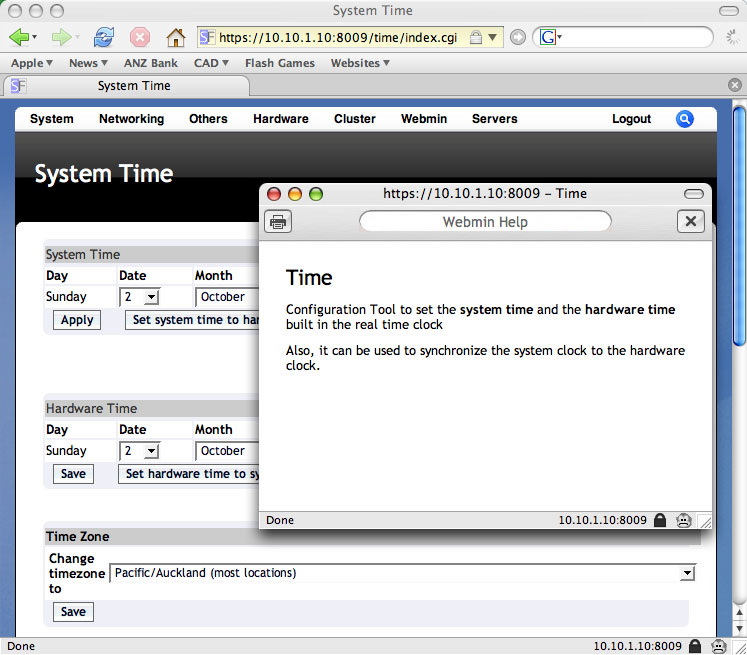
After some long hours picking graphics and colours I have my Webmin theme at a point where it can be used. It features a completely new graphical look, high colour icons, dropdown menus and an AJAX search tool for locating Webmin modules quickly. It has been tested in Chrome, Firefox, Safari and Internet Explorer.

Download now
Alternatively you can download the latest development build from the Google Code Subversion repository.
News and updates
For the latest development news on this theme please see this listing of articles.
Say thank you with a donation
Bandwidth unfortunately costs money. To help me out with this if you download the theme and like it feel free to make a donation in my tip jar (PayPal) by clicking the button below.
Thanks to those of you have already made donations, it is greatly appreciated.
Installation
To install open Webmin and browse to Webmin -> Webmin Configuration -> Webmin Themes
Select the downloaded archive from your local disk and press the Install Theme button.
Once installed change the Current Theme dropdown to StressFree Theme and press the Change button.
Note: This will change the default theme for Webmin but will not effect users who have selected a personal theme. If you have enabled the StressFree theme as the default yet find it is not applied check your personal theme settings:
- Category -> Webmin -> Webmin Users.
- Select your username (e.g. root).
- Open "User interface options" and ensure the "Personal Theme" field is set to either "From Webmin Configuration" or to the specific theme name (StressFree).
Screencast
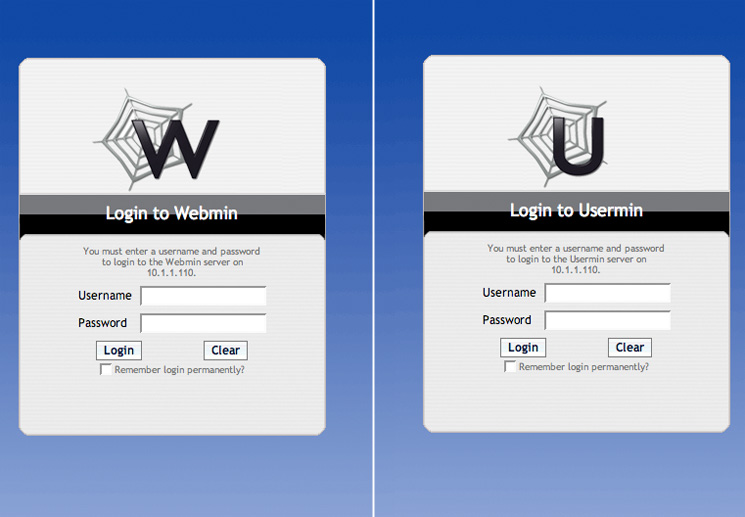
Screenshots only go so far when it comes to illustrating what this theme does. The screencast below demonstrates the theme's drop-down menu and search functionality.


Login Fail Messages
Hi Dear Author,
Why the theme does'n show any messages on Login Fail?
Please reply or patch it and help me to fix it for my organization.
Thanks a lot,
Yours
Mohammad.
Fixed in version 2.07 of the theme
This should be corrected in the latest version of the theme:
http://www.stress-free.co.nz/stressfree_webmin_theme_version_207_released
File manager
Question: How can i expand the frame that the filemanager is in? It seems like it doesn't fill out the my browser page which throws me scroll bars.
This is the best Webmin theme!
/rg
Unfortunately this is related to the Java applet
The file manager is a Java applet which does not behave like native HTML elements. A fixed height must be supplied for this element, which in the theme is set to 450px:
div.filemanager {
height: 450px;
top: 20px;
position: relative;
z-index: 1;
}
I have set it to a relatively small number in order to reduce the amount of double scrolling. i.e. The number of times you need to scroll the web browser window AND the Java applet window.
It is a fairly ugly compromise due to the difficulties that arise out of making a full height Java applet that displays reliably on all browsers.
Minor issue with localized webmin
Thanks for taking some of your time to mke this awesome looking theme that immediately got his place as the default theme in our debian server.
I have one little issue with the theme that has been reported from users having a french webmin interface. The Logout button, which translates into 'Se déconnecter', is too small to hold the longer localized text.
(A screen capture is available at http://i46.tinypic.com/2igfw2d.png).
With that said, the other parts of the GUI work perfectly and helps us manage the lone linux box in a much more user-friendly way. Thanks again for your good work!
Fixed in version 2.07 of the theme
The logout button should display correctly in version 2.07 of the theme available here:
http://www.stress-free.co.nz/stressfree_webmin_theme_version_207_released
I will look into it
Thanks for letting me know, I will see what I can do.
Congrats
VERY nice, sleek looking and intuitive theme! This is the only Webmin theme worth downloading and installing ;)
You took the time to make it look good, I praise you for that :)
Quick search
It'd be really awesome if you could implement a quick search/filter to find the model your looking for =D
Thank You
Awesome theme. Really impressed and is now pride of place on my Debian server.
Dropped you a few quid too for your hard work!!
Paul
Theme problem
Very nice, but after I installed it got this error:
HTTP/1.0 500 Perl execution failed Server: MiniServ/0.01 Date: Thu, 18 Mar 2010 11:55:35 GMT Content-type: text/html Connection: close
Error - Perl execution failed
Undefined subroutine &main::get_visible_modules_categories called at /usr/share/webmin/theme-stressfree/theme.pl line 523.
Could you get in touch directly
Could you use the contact tool to get in touch directly and provide some more information.
For example what version of Webmin and what operating system are you using?
My initial guess is that you are running an old version of Webmin and you should really upgrade.
Indeed, my webmin module was
Indeed, my webmin module was outdated, after installing the newest version everything is running smoothly
Fantastic, thank you
Threw some $$ your way. Thanks very much for all the effort you put into building this.
Cheers.
Error in footer of custom commands
After a clean install (no altering done) there is an error in the footer of the webmin page while using the custom commands. Is there a fix available for this error?
Error - Perl execution failed
Undefined subroutine &main::get_module_name called at /usr/libexec/webmin/theme-stressfree/theme.pl line 342.Cannot recreate
I cannot recreate this error and given the supplied information there is no reason why it should only be occurring for the Custom Command module.
Make sure you are using the latest version of the theme and a current version of Webmin.
Support for Virtualmin?
Hey, does your theme come with support for Virtualmin as well?
If it does... I'm looking forward to using this :)
Not at present
VirtualMin is not currently supported due to the way this Webmin extension has been implemented. A significant portion of the VirtualMin user-interface and logic is implemented within the default VirtualMin theme rather than in standalone modules. As a consequence, if this theme were to support VirtualMin it would have to replicate all of the logic that is buried within the default theme.
From my perspective this is too much work to achieve and maintain. The moment the VirtualMin developers shift the bulk of their logic out of their default theme and into a standalone module I will look at supporting it.
Problem on shutdown page
Hi,
i like the stressfree theme very much. But in the current version (and perhaps one or two versions before) i recognized a problem:
I have a direct link to /init/shutdown.cgi and there a very strange thing happens:
I only see a part of the top menu, the page sourcecode ends with:
The problem still shows up after reload, cache cleaning on latest Firefox and IE. Changing back to webmin default team solves the problem on the shutdown page. Additional information: webmin language setting is german.
Check your Webmin error log (miniserv.error)
It looks like something is causing a Perl error to be thrown.
Can check the logs to see if there is anything suspicious. Could you also email me with a full HTML dump of the problem page.
David
Hi David, thnaks for your
Hi David, thnaks for your reply.
where can i find this error log?
Check your miniserv.conf file
The location of the Webmin logs is defined in the miniserv.conf file. In the majority of Linux Webmin installations you can find this file in /etc/webmin.
I feel silly :)
I checked all logs in /var/webmin but there where no suspicios entries. So i went back to shutdown.cgi just to see if there are some other hints. And now its working, ununderstandable.
Before reporting the issue i checked on multiple browsers, changed webmin themes to default und back to stressfree and the issue was reproduceable.
I'm sorry for wasting your time, but the issue seems to be gone magically...
this theme is pretty cool but
Support for VirtualMin is not possible at this point in time
Unfortunately VirtualMin cannot be efficiently themed as the developers require too much VirtualMin specific code to be placed within the theme layer. This is caused by a decision to place significant amounts of VirtualMin functionality within the theme layer, rather than in standalone modules.
This current configuration makes supporting VirtualMin impractical as including all this VirtualMin logic would grow the theme codebase by a factor of 4+. It would also mean any VirtualMin changes would need to be tracked in the third-party theme. This sort of effort just isn't justifiable, plus the third-party theme will always be playing catchup to the official VirtualMin release.
This situation may change in the future as a VirtualMin developer is modularising the VirtualMin infrastructure and exposing its functionality via AJAX. If this initiative matures and becomes part of VirtualMin, then third-party theming will become more practical, although still not as straightforward as a vanilla Webmin theme.
Problem
Check your Webmin theme version
If you are not using a current version of Webmin you will need to disable the new menu system by following the instructions here:
http://www.stress-free.co.nz/stressfree_webmin_theme_version_204_released
How to create custom field in session_login.cgi
Hi,
I just want to create 1 dropdown list in session_logic.cgi for user to select the language option.
just like this:
$clang = $gconfig{'lang'} ? $gconfig{'lang'} : $default_lang;
print "<tr> <td><b>$text{'lang_lang'}</b></td>\n";
print "<td><select name=lang>\n";
foreach $l (&list_languages()) {
printf "<option value=%s %s>%s (%s)\n",
$l->{'lang'},
$clang eq $l->{'lang'} ? 'selected' : '',
$l->{'desc'}, uc($l->{'lang'});
}
print "</select></td> </tr>\n";
But I could not retrieve the value of field 'lang' in this page?
I tried the following but no working:
$in{'lang'};
How to do this?
Thanks
Sorry, language support isn't my thing
It is best that you consulted the Webmin documentation for any questions on language support as I know next to nothing on the subject. You could post your question onto the Webmin development mailing list to see if anyone can help you out there.
Great theme, thanks for
Just perfect Looks
The code is open source
You are welcome to modify the theme if you are technically inclined. Just head over to the Google Code site to get the Perl and underlying CSS/images:
http://code.google.com/p/webmin-theme-stressfree/
Thanks for sharing your hard
Cheers Jeremy
Thanks for the donation, it is much appreciated.
Thanks
Theme loses CSS
I'll look into it
I had not tested the annoymous user case, my guess is Webmin is denying access to the external CSS file because the request isn't authenticated.
Pages that are wider than the page break the theme but there isn't much that can be done about this I'm afraid given the way things hang together. In theory the module creators shouldn't be generating HTML content that fits within a reasonable container area.
How can I make this theme
good question!
Google Gears
That's a mighty big hammer for a small problem...
The problem is the overhead of adding Google Gears support would outweigh the bandwidth benefits. The graphics themselves are small in size and there is no Webmin functionality that could make use of Gears without significant alterations.
That being said if the Webmin guys were to rewrite the underlying system so that it was web service centric you could do some really cool things. e.g. If you could make system changes offline and then when you reconnect have them sync to your server(s). Unfortunately that is a lot of work and would require a complete rewrite of the core and supporting modules. However if the time was to be put in interface developers like myself would have a lot more opportunities to do things with Gears, Flash, Silverlight and any other RIA technology you'd care to name.
Gears again: done.
- i add 2 more javascipt files to javascript directory,
- create php script to make manifest file and
- gears.css at root folder.
- also a readme.txt in the root folder as installation guide.
you can download or use it directly (for trial) from http://design.ebali.web.id/theme-stressfree-gears.wbt.gzplease read readme.txt before use it.
for others who also download it, this theme is released without warranty at all, use it with your own risk.
best regards, dwi
Thanks
I will test this out over Christmas. If it doesn't cause issues I will include the changes in the theme.
Gears support added in version 2.0 of the theme
The Gears support contributed by Dwi Kristianto has been incorporated into version 2.0 of the StressFree Webmin theme. For more information checkout this post.
gears is simple... ???
Beautiful theme guy!!! A Very
WOW,
WOW
Thanks
Thanks for the support Chris.
sidebar does not work with new webmin module